Generative AI is changing how visual effects work is explored, presented and handed off. Most tutorials teach tricks. This course teaches control.
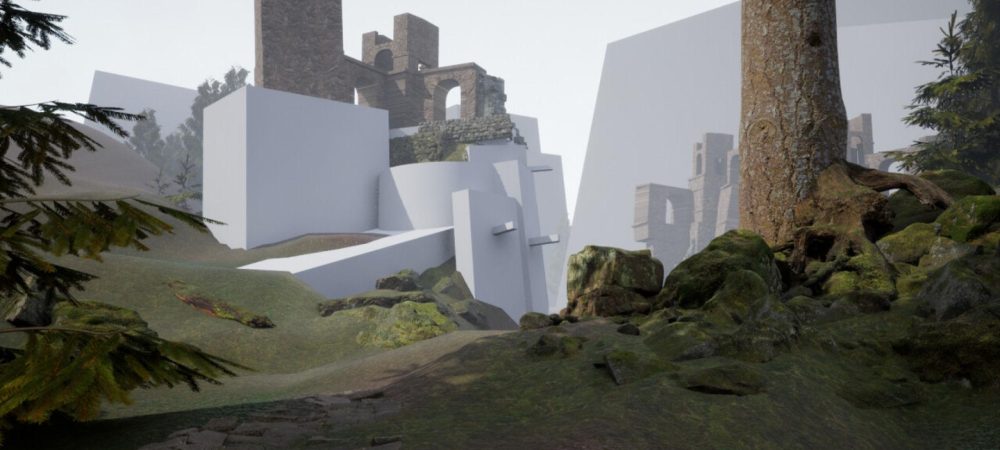
Over eight lessons you take one shot, the Abandoned Research Outpost, from an approved 3D frame to a finished, portfolio ready shot package. Along the way you learn to use AI the way a studio would:
- with fixed variables and documented settings
- with structure locked to rendered passes
- with models chosen on evidence
- with honest disclosure of what the tools did and what you did
Every lesson asks the same question: what did the artist control? By the end you can answer it for every decision in your shot.
The course is built on production practice that predates AI: turntables, breakdowns, approvals and handoffs. It is designed for VFX, animation, games and technical art students and working artists. No ComfyUI experience is needed.
Lesson 01: AI in the VFX Pipeline
- Where generative tools genuinely help, from ideation to look development
- The four risk zones, from open exploration to final pixel
- How AI fits around existing departments rather than replacing them
- Exercise: a pipeline map for the outpost shot, with uses and risks marked
Lesson 02: ComfyUI and Node Based Generation
- Build a text to image graph from scratch, node by node
- What the seed, steps, CFG, sampler and scheduler actually do
- Fixed seeds and settings logs for reproducible results
- Exercise: a documented, labelled workflow that anyone can open and rerun
Lesson 03: Prompting for Production Art Direction
- Write prompts as art direction briefs, not lists of buzzwords
- Layer subject, setting, camera, light, materials, wear and atmosphere
- Change one layer at a time to learn what your language really does
- Exercise: four distinct visual directions from one fixed core prompt
Lesson 04: Image to Image and Denoise Strength
- Start from an approved frame instead of pure noise
- How denoise decides what survives and what is reinvented
- The drift check: prove with a Difference overlay whether the shot has moved
- Exercise: a comparison board at low, medium and high denoise, with drift notes and a defended choice
Lesson 05: ControlNet and Structural Control
- Lock camera and layout with depth, line art and canny maps
- Why passes rendered from 3D beat structure estimated from a flat image
- Prepare a raw depth pass correctly, and tune strength, start and end
- Exercise: a controlled redesign that pushes the look hard while the layout holds
Lesson 06: Model Evaluation and Look Development
- Run a fair comparison, the same way a lookdev artist tests shaders on a turntable
- Weight ten production criteria for a named task before you look
- Score blind, weigh local against hosted tools, and treat terms of use as a real criterion
- Exercise: a three-model comparison with a weighted scorecard, a written defence and a lookdev target sheet
Lesson 07: AI Assisted Asset and Texture Support
- Why an AI image is reference, not a production asset
- Break materials into layers and check them against the physics of weathering
- Generate prop reference on supplied blockouts, and handle signage responsibly
- Exercise: an asset board of six elements, each with a Reference, Adapt or Rebuild decision and a note a department lead can act on
Lesson 08: Final AI Assisted Shot Package
- Present the shot from source to final, with the key stages between
- Write a production breakdown that explains decisions and limitations
- Disclose AI use clearly and precisely, with provenance for every element
- Exercise: a portfolio ready shot package with workflow, settings, breakdown and disclosure
What you leave with
- A complete shot package for your portfolio
- A reproducible workflow you can apply to your own projects
- A professional method for using AI responsibly in production